
On this page
Start in the browser before looking for an app
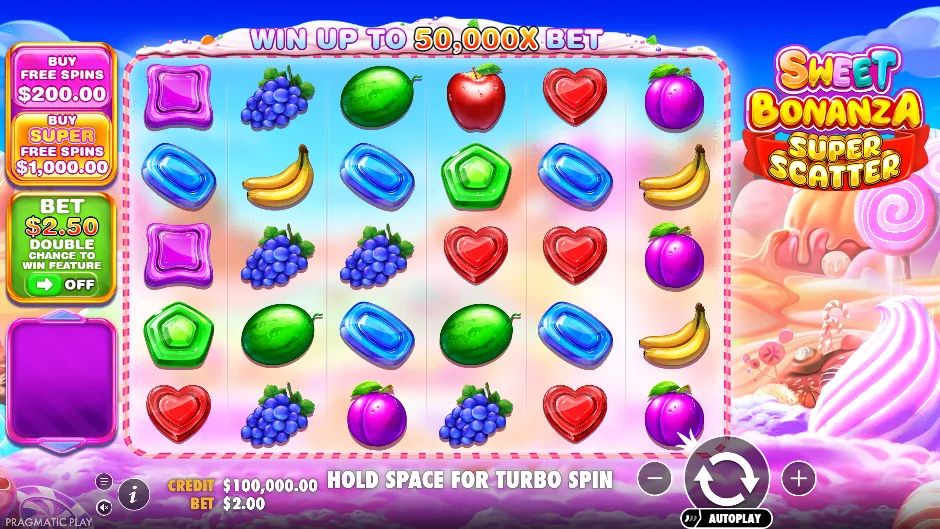
All three inspected public demos use virtual USD, not rand. The ZAR figures on this guide are hypothetical arithmetic; see the dedicated demo pages for currency details. The playable pages load the official provider client only after you press the button. This keeps the initial article light and prevents three game downloads from competing for memory. Each demo page identifies the edition and offers an official new-tab fallback if embedding fails.
On Android or iPhone, open the page in a current browser and give the first game download time to finish. The game panel is reserved before loading, so the article should not jump when the iframe appears. Fullscreen support varies by browser; landscape orientation can improve readability when a landscape layout is used.
A search result promising a Sweet Bonanza APK, an App Store predictor or an app using a celebrity’s image is not proof of a genuine standalone product. This guide supplies no installation file. For an operator app, follow that operator’s official website instructions and verify the publisher before installing anything.
Our launch check and its practical limits
The build’s dated browser-check results are included in the source record. The checks distinguish an initialised provider client from a mere iframe load event.
We test article layouts at 390, 768 and 1440 CSS pixels. Those widths are browser viewports, not three specific physical handsets. We separately test all three game identities and whether a game-service initialisation appears after the load button. The test does not spin, deposit or measure a funded account.
A successful initialisation means the provider accepted that demo launch in our environment. It does not prove a complete paid round, permanent availability from South Africa, or that every mobile network can reach the same resource. Provider restrictions, client updates and temporary failures can change the result.
If you compare your own connection, note the device, browser, date, edition and whether the introduction appeared. Use the same starting conditions when comparing portrait and landscape. A second visit may reuse cached assets, so it is not directly comparable to a cold first launch.
Blank panel, slow introduction or frozen round?
| Symptom | First useful check | Next action |
|---|---|---|
| Article loads; game stays blank | Did you press Load? Is a content blocker rejecting the provider? | Try the official demo link once |
| Provider introduction loads slowly | Connection quality and first-download size | Wait for loading to finish; close other games |
| Controls are too small | Orientation and browser fullscreen support | Use Expand or landscape; open official new tab |
| Account round stops during an animation | Actual accepted stake and game history | Preserve round details and contact the operator |
| Login or withdrawal fails | Correct operator site and account status | Use the operator’s own support, not this guide |
Keep the useful article available on a slow connection
The guide, original screenshots and teaching tools work without loading the third-party game. You can read the rules, use the cost arithmetic and identify a version before deciding to download the demo. We avoid autoplaying provider frames and do not preload three game clients for decoration.
Closing other game tabs can reduce memory pressure on an older phone. Reducing sound or animation pacing settings can make the interface less distracting, but we do not advertise those controls as a change to the game’s RTP or a way to force a result. Network interruption and mathematical outcome are separate issues.
Do not assume an apparent phone freeze voids a cash stake. A server may already have accepted it. If money is involved, preserve the evidence and check the operator’s history rather than repeatedly pressing Spin or refreshing as a recovery strategy. For the free demos here, credits are virtual and cannot be withdrawn.
Third-party requests begin with your choice
Loading the demo contacts Pragmatic Play’s public client and its asset hosts. Opening a partner link contacts the commercial destination, which may use its own tracking and cookies. Those are separate actions from simply reading a static article on this preview.
The guide does not have a gambling login, payment form or document upload. Do not send identity documents, passwords or payment details to a game-review page. The privacy page explains the limited local controls and links to the relevant third-party policy.